
 Maya Chen
Monday a real decision gets made in a channel: the client will handle their own data cleanup, we will not. Three people are there. The reasoning is sound. Somebody says “agreed.” Tuesday, forty more messages arrive in that channel. Several are about lunch. Thursday, work starts on the cleanup anyway, because the person doing it was not in the channel on Monday, and the task itself says nothing about it. Friday you have the same discussion again with less patience.
The problem was never that people talked. It is that the conversation and the work were in different buildings.
This is for teams that decide things in chat, which is fine, and then lose them in chat, which is not. It is not a fit if you are looking to replace your company chat tool wholesale. This is not that.
In plain English: Goalpen puts the conversation on the task it is about — a channel with a pinned decision — so Thursday can find Monday.
Why “just search for it” does not save you
In principle the message is findable. In practice you need to remember roughly when it was said, roughly who said it, and which of eleven channels it was in. Worse, you need to already know there is something to look for. Nobody picking up a task on Thursday knows to go looking for Monday.

If Thursday already rebuilt Monday, keep reading. The next part is the habit — not a tour of menus.
Put the conversation on the thing it is about
In Goalpen you open a task and there is a speech-bubble on it: start a channel for this item, or open the one that already exists. The card in the tree shows the count — “3 comments — click to open” — so the existence of a discussion is visible without going hunting. That visibility is the part that rescues Thursday.
Inside, it behaves like a real discussion rather than a comment box. You write in rich text. You mention someone with @ and they actually get notified. You reply to a specific message. You take a tangent into a Thread panel so it does not bury the decision. You pin the message that turned out to be the decision. You can set a topic for the channel, add and remove participants, and point at another task, note, document or blog inline with #.
When someone posts, everyone else in that channel gets an in-app notification and an email. If your team lives in Slack, a channel can be linked to a Slack channel and kept in sync, on the Business plan and above.
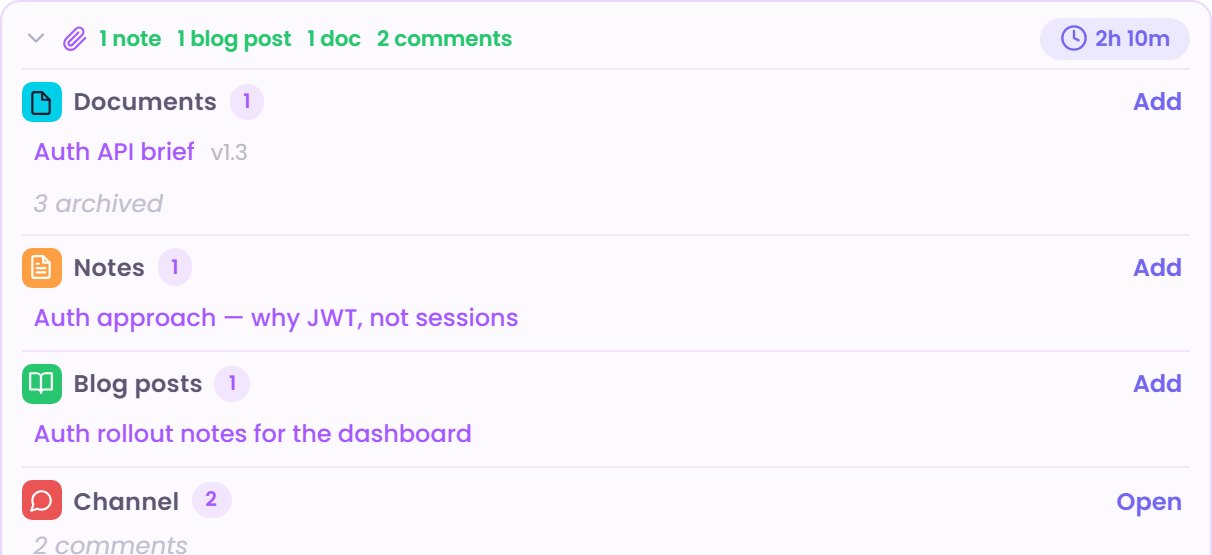
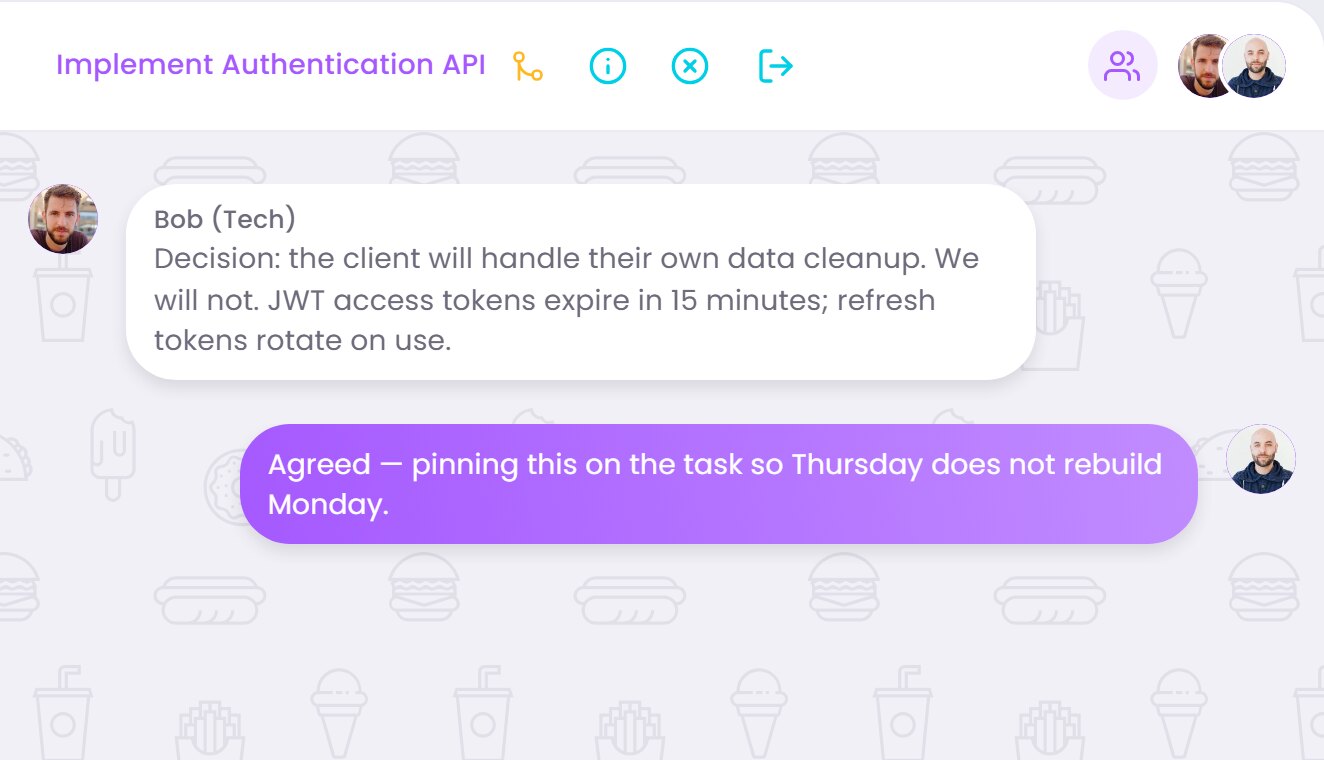
There is no workspace-wide chat room here. Everything is a channel, either on an item or directly between people. That is the point, and it also means this does not replace Slack. You attach existing documents, notes and blog posts to a message rather than uploading arbitrary files into the conversation.
Next time a decision gets made in chat, do one extra thing
Open the task it affects. Start its channel. Paste the decision in. Pin it. That is the entire habit, and it is what stops Thursday's argument from happening.
Prefer to talk it through first? Use Contact us. Want the numbers before anything else? Skim Pricing. No hard sell either way.
*Current page check: “pin the decision on the task” (13 August 2026).*